
Disk image
Free for Mac and Windows
QuestPump for Mac and Windows
QuestPump on your computer adds the add-on to the game and keeps both up to date. It keeps a copy of your progress, pairs your phone and runs pumps on your screen: a few push-ups, squats, stretches or yoga moves beside your desk.
The add-on plays without it, but QuestPump on your computer is strongly recommended.
- No account needed
- No ads
- Never presses a key

Download
Free for Mac and Windows.
Pick your computer.
On a Mac, open the disk image and drag QuestPump into Applications.
With a package manager
Or install it from a terminal.
Mac
brew install --cask pluxia-gmbh/tap/questpump"Windows protected your PC"
Windows may show this when you open the installer. Its SmartScreen may warn about a new app, even a signed one, until enough people have installed it. In Microsoft's words:
There is no exact threshold, but it can take several weeks and hundreds of clean installs from a wide audience.
Click More info, check that the publisher reads Pluxia GmbH, then click Run anyway.
What it does
It runs beside the game and stays out of it.
What it does
- It adds the add-on to the game and keeps the add-on and itself up to date.
- It reads the small row of coloured squares the add-on shows in a corner of the game window. That is how it knows a pump starts.
- It keeps a copy of your progress in the game's add-on folder, where the add-on finds it at the next login.
- It pairs your phone and watch with a code you scan from its window.
- It runs pumps on your screen while the game is closed, with the armour figure, a timer and a voice. Moves you left unfinished in the game can be done there. It shows your character sheet, your moves and your history, the same as the phone app.
- Match over? A pump is ready, after Counter-Strike 2, Dota 2 or Rocket League, or when another game closes. It finds your games by itself, and it learns only when each match or game starts and ends.
- It can read a Bluetooth heart-rate strap, if you turn it on.
What it never does
- It never presses a key, clicks or sends a command in a game.
- It never reads a game's memory. In another game's folder it adds one settings file only when you ask for it, and it takes the file away when you turn the game off.
- It never saves or sends a picture of your screen.
- It never talks to a game's servers.
Inside
Five tabs, the same as the phone app.
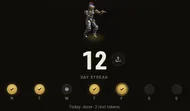
Pump
Your streak, and a pump whenever you want one.
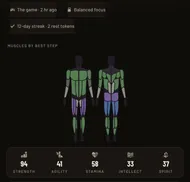
Hero
Your character sheet: five stats and each muscle's best step.
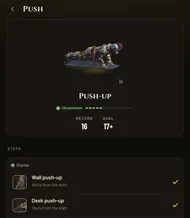
Book
Every ladder, its steps and your record on each.
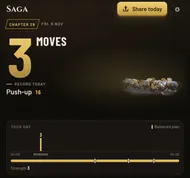
Saga
Each day a chapter: your moves, your records and your plan.
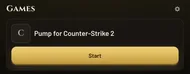
Games
The games it found, and a pump after each match.


Your data
Your pumps travel sealed.
On your home network, QuestPump on your computer talks only to your paired phone and watch. It seals your data with a key from the code your phone scanned.
It goes online for six things: updates for itself and the add-on, which it checks before it installs them, the films of the moves, the sync, the feedback you send, a report when it crashes and usage statistics. The sync keeps your pumps the same on your phones and computers. It seals them first with a key only your devices hold, so we can't read them. Usage statistics are daily counts with no id and no name, such as how many pumps you finished. In the EU, the EEA, India and Canada, it asks you before it sends a crash report or counts. You can switch the sync, crash reports and counts off in its Menu. The details are on the Security and Privacy pages.
Open source
The add-on and QuestPump on your computer are open source (MIT). The code is at github.com/Pluxia-GmbH/questpump.
How we handle personal data: Privacy.